• Home
  • Getting Started
  • Home
  • Getting Started

Premium Elementor Widgets

Solarta comes with premium widgets for Elementor. Once Eversor plugin is installed, new widgets will appear in the Elementor editor. You’ll find them under the general widget section with the title Eversor Widgets. To get started simply Drag n Drop them into a page layout.

Widgets customization

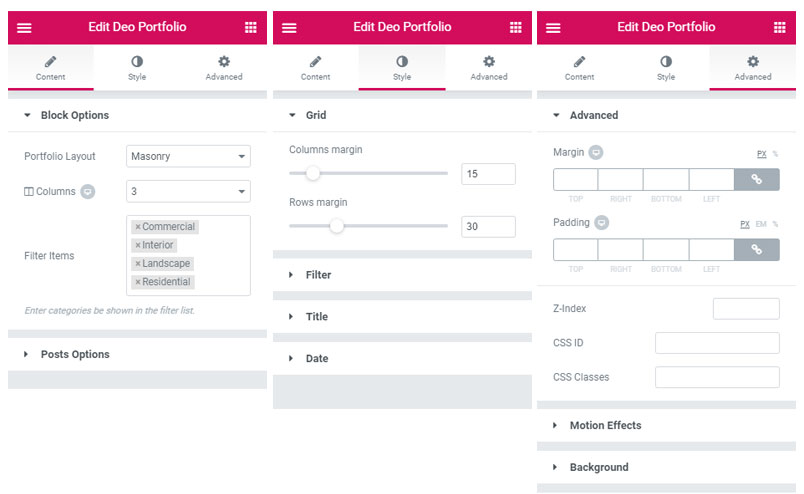
Elementor widgets consist of main 3 tabs – Content, Style and Advanced. You’ll find various settings on these tabs.
Was this helpful?

Yes  No
Related Articles
  • Premium Plugins
  • Mega Menu Builder
  • Page Layouts
  • Adobe Fonts Integration
  • GDPR Tools
  • Header Footer Builder

No luck finding what you need? Contact Us

Premium Features
  • Premium Elementor Widgets
  • Premium Plugins
  • Mega Menu Builder
  • Page Layouts
  • Adobe Fonts Integration
  • GDPR Tools
  • Header Footer Builder
Categories
  • Blog & Pages
  • Customization
  • Elementor
  • Getting Started
  • Others
  • Premium Features

  Premium Plugins

Page Layouts  

  • © 2026 deothemes.com. All Rights Reserved.