• Home
  • Getting Started
  • Home
  • Getting Started

Premium Elementor Widgets

Solarta comes with premium widgets for Elementor. Once Eversor plugin is installed, new widgets will appear in the Elementor editor. You’ll find them under the general widget section with the title Eversor Widgets. To get started simply Drag n Drop them into a page layout.

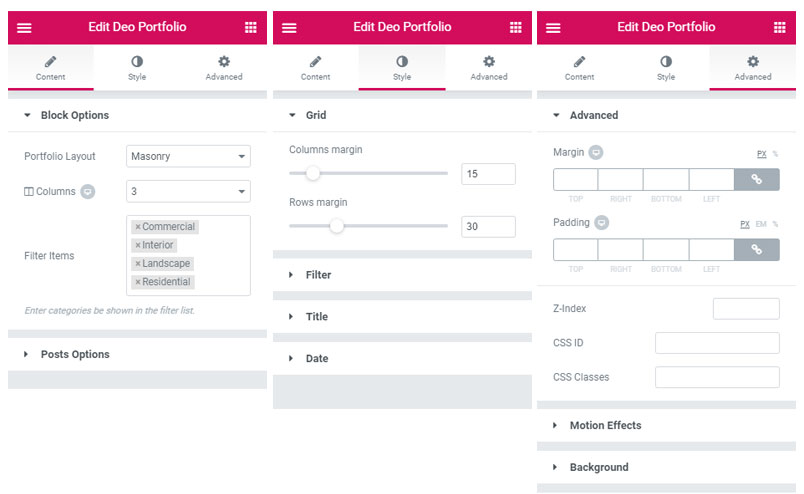
Widgets customization

Elementor widgets consist of main 3 tabs – Content, Style and Advanced. You’ll find various settings on these tabs.
Was this helpful?

Yes  No
Related Articles
  • Adobe Fonts Integration
  • GDPR Tools
  • Header Footer Builder
  • Premium Plugins
  • Mega Menu Builder
  • Page Layouts

No luck finding what you need? Contact Us

Premium Features
  • Premium Elementor Widgets
  • Adobe Fonts Integration
  • GDPR Tools
  • Header Footer Builder
  • Premium Plugins
  • Mega Menu Builder
  • Page Layouts
Categories
  • Blog & Pages
  • Customization
  • Elementor
  • Getting Started
  • Others
  • Premium Features

  Premium Plugins

Page Layouts  

  • © 2026 deothemes.com. All Rights Reserved.